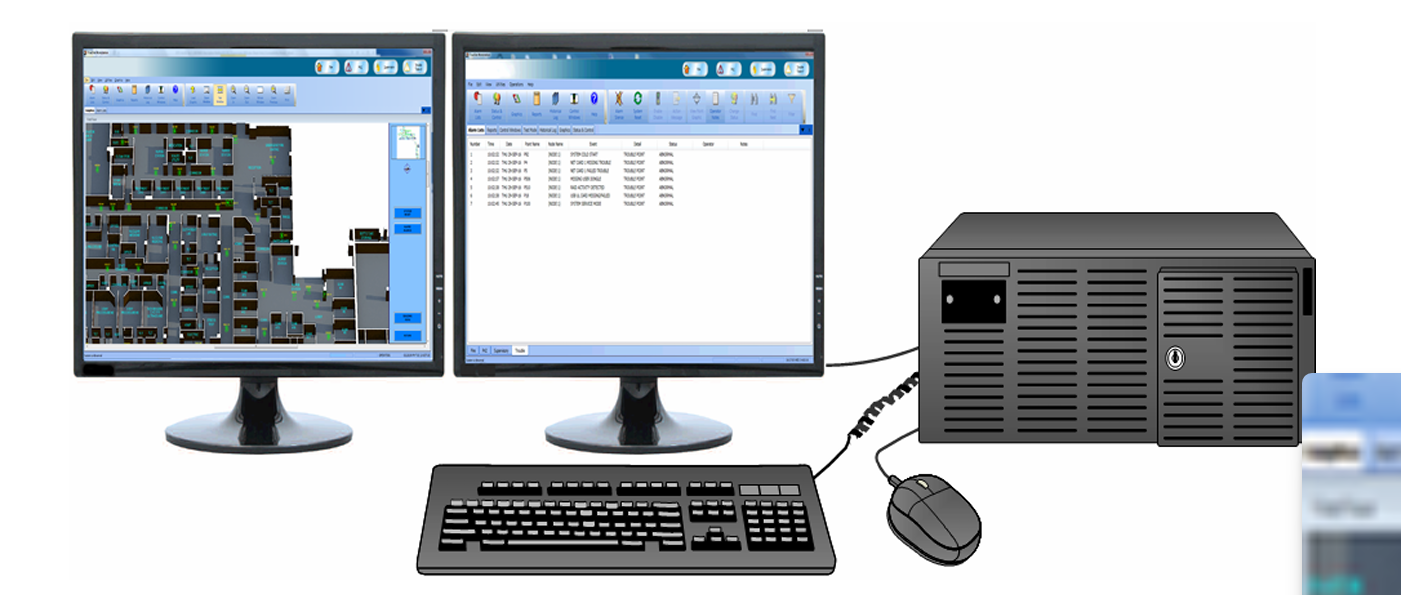
Simplex TSW Graphic Workstation
Pc with ES Net High Speed Networks included License TrueAlarm Fire Alarm Systems TrueSite Workstation
$14000.00$13899.00
The Simplex® TrueSite Workstation (TSW) is a next-generation platform that manages an entire fire and life safety network from a single location. This computer-based graphical command center features centralized network annunciation, historical logging, report generation, and control of fire alarm network points.
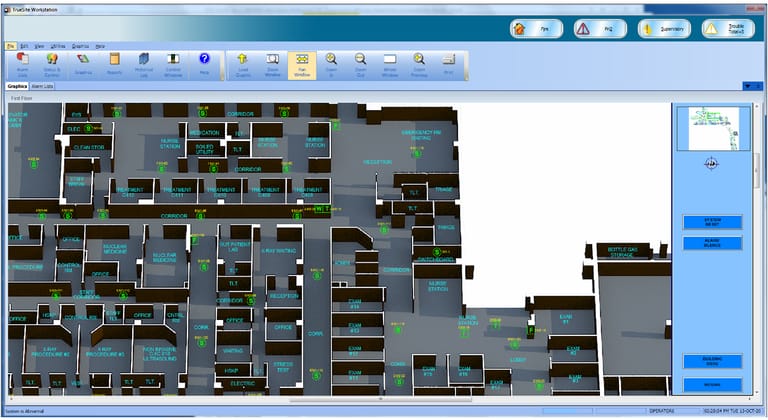
Graphical interface control that is connected to Simplex fire alarm networks, compatible with Simplex ES Net and 4120 networks. • Color graphical annunciation and control capacity for up to 250,000 ES Net network points or up to 100,000 4120 network points. See ES Net software compatibility and 4120 network software compatibility for additional details. • You can use an optional interface with a Digital Alarm Communicator Receiver (DACR) to integrate multiple systems onto a single workstation. • You can access new software features and cyber security and compatibility updates, with the Software Maintenance Agreement (SMA). The first year is included in the new system with an option to renew. • You can use test mode to test selective devices without nuisance interruptions at the operator workstation. • You can vector information to supervised remote clients. Select by point, event category, panel, or custom list. Graphic interface • You can display standard fire service annunciation icons, and custom alarm and system messages. This can guide emergency responders with critical fire response information, for example HAZMAT locations and contact information. • You can choose floatable windows or fixed dockable windows. • With quad monitor support, you can use multiple active windows. You can run separate client or server instances on individual monitors with up to four total supported monitors. • You can use pan-and-zoom features to navigate to an area of the screen. • You can configure coverage zones to indicate an area of activity without zooming. • You can use auto-jump to display a graphic at a custom zoom level with the active device centered on the screen. Alternately, you can select the system to auto-jump to the Alarm List window. • You can display Fahrenheit or Celsius temperatures for screens that show heat sensor temperatures. • With the web browser command link, you can open an external web page or link, such as a webcam, with a single command button on a graphic screen.